> ## Documentation Index
> Fetch the complete documentation index at: https://docs.hel.io/llms.txt
> Use this file to discover all available pages before exploring further.
# Charges
> Create single-use Pay Links and checkout sessions
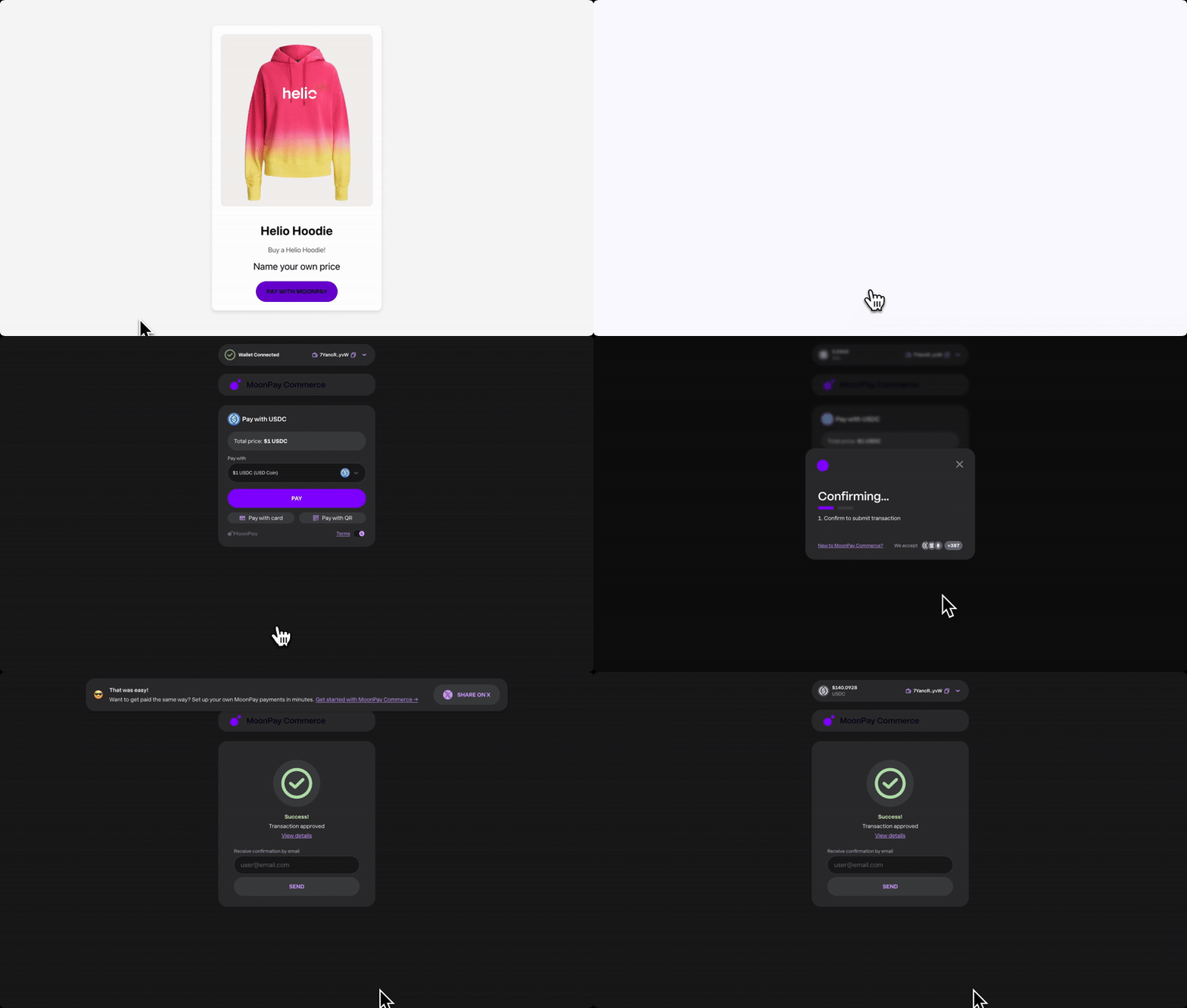
**Charges** are single-use checkout pages generated from a `paylinkId`. They’re ideal for mobile flows, deep-linking, QR codes, embedded pay buttons, simple website builders (like Wix), e-commerce plugins, and other custom payment flows.
 ## How to Set Up and Use a Charge
1. **Via API:** Generate a charge using the API, see endpoint [here](https://docs.hel.io/reference/charge/create). This will return a URL to the charge page that users can use to complete their payment.
2. **Via Embedded Widget:** To use a charge within your [checkout widget](https://docs.hel.io/docs/checkout-widget), pass the `chargeToken` field in your configuration code. This value can be found at the end of the charge page URL returned when generating a charge via the API e.g. `a1f67a3a-2152-4124-ad71-a8129e6d2e63`. This allows you to integrate charges directly into the checkout widget. For more information see [here](https://docs.hel.io/docs/checkout-widget#common-config-options).
## Charges vs Pay Links
Below is a comparison of standard MoonPay Commerce Pay Links and Charges, highlighting their descriptions, use cases, and key advantages.
| | **Charges** | **Pay Links** |
| ----------- | ------------------------------------------------------------------------------------------------------------------------------------------------------------------------------------------------------------------------------------------------------------------------------------------------------------------------------------------------------------------------------------------------------------------------------------------------------------ | ------------------------------------------------------------------------------------------------------------------------------------------------------------------------------------------------------------------------------------------------------------------------------------------------------------------------------------------ |
| Description | A single-use checkout page generated from a `paylinkId`. Once the payment succeeds, the link cannot be reused. Can be hosted or embedded | A reusable payment link that opens a checkout page where users can connect their wallet and pay in crypto. The same link can be shared and used multiple times. Can be hosted or embedded. |
| Use Cases |
## How to Set Up and Use a Charge
1. **Via API:** Generate a charge using the API, see endpoint [here](https://docs.hel.io/reference/charge/create). This will return a URL to the charge page that users can use to complete their payment.
2. **Via Embedded Widget:** To use a charge within your [checkout widget](https://docs.hel.io/docs/checkout-widget), pass the `chargeToken` field in your configuration code. This value can be found at the end of the charge page URL returned when generating a charge via the API e.g. `a1f67a3a-2152-4124-ad71-a8129e6d2e63`. This allows you to integrate charges directly into the checkout widget. For more information see [here](https://docs.hel.io/docs/checkout-widget#common-config-options).
## Charges vs Pay Links
Below is a comparison of standard MoonPay Commerce Pay Links and Charges, highlighting their descriptions, use cases, and key advantages.
| | **Charges** | **Pay Links** |
| ----------- | ------------------------------------------------------------------------------------------------------------------------------------------------------------------------------------------------------------------------------------------------------------------------------------------------------------------------------------------------------------------------------------------------------------------------------------------------------------ | ------------------------------------------------------------------------------------------------------------------------------------------------------------------------------------------------------------------------------------------------------------------------------------------------------------------------------------------ |
| Description | A single-use checkout page generated from a `paylinkId`. Once the payment succeeds, the link cannot be reused. Can be hosted or embedded | A reusable payment link that opens a checkout page where users can connect their wallet and pay in crypto. The same link can be shared and used multiple times. Can be hosted or embedded. |
| Use Cases | - One-off payments
- E-commerce where each cart needs a unique charge
- When you need to attach order-specific details
| |
| Pros | - Works well for integrations that need single-use checkouts
- Unique per transaction
- Supports `additionalJson` via API for passing customer details (e.g. item, customer data) enabling granular tracking per charge
- Supports [dynamic creation](https://docs.hel.io/docs/for-developers#payment-integration-options) via API with price set at checkout
- Payment status can be tracked programatically
| - Easy to share and reuse
- Supports `additionalJson`via the [Embedded Widget](https://docs.hel.io/docs/checkout-widget) for passing customer details (e.g. item, customer data) enabling granular tracking per transaction.
- Great for merchants and businesses that want a "universal checkout link"
|
## Pay with QR Code
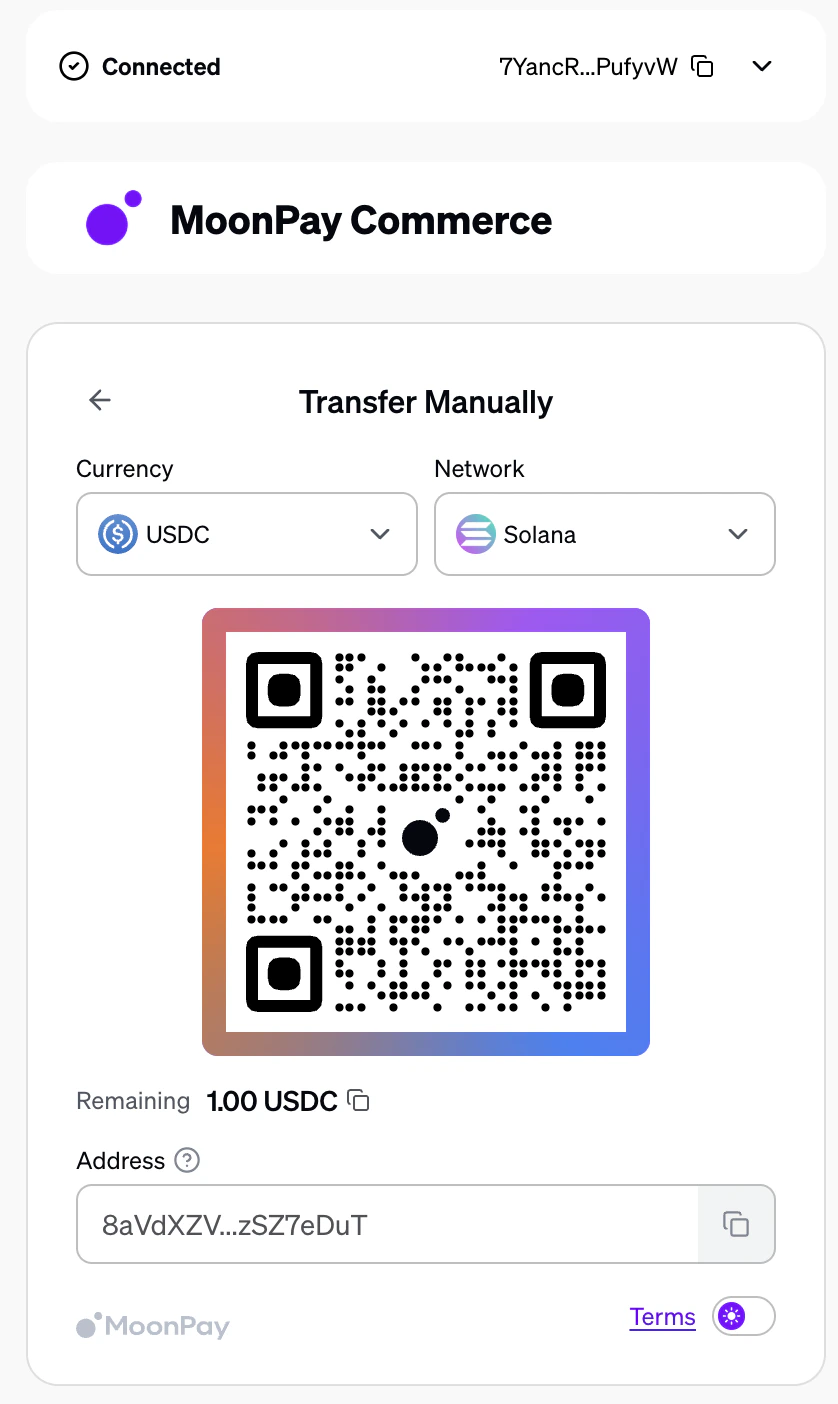
When an end user pays via QR code on a charge page, the payment uses a deposit-style flow. The user scans the QR code and sends funds directly to complete the payment.
* **Underpayment:** If the user sends less than the required amount, they will be prompted to deposit the remaining balance until the full payable amount is reached.
* **Overpayment:** If the user sends more than the required amount, the entire deposited amount will be forwarded to the merchant.
 ## How to Show Pay Link Details on a Charge Page
Within MoonPay Commerce, you can display the product name, description, and image from your pay link directly on the charge page, mirroring your original pay link.
To do this:
1. Ensure your `paylinkId` uses [**dynamic pricing**](https://docs.hel.io/docs/for-developers#payment-integration-options). This can be toggled in the dashboard or set via the API when [creating](https://docs.hel.io/reference/paylink/create) or [updating](https://docs.hel.io/reference/paylink/update) a `paylinkId` by setting `"dynamic": true` in the features object.
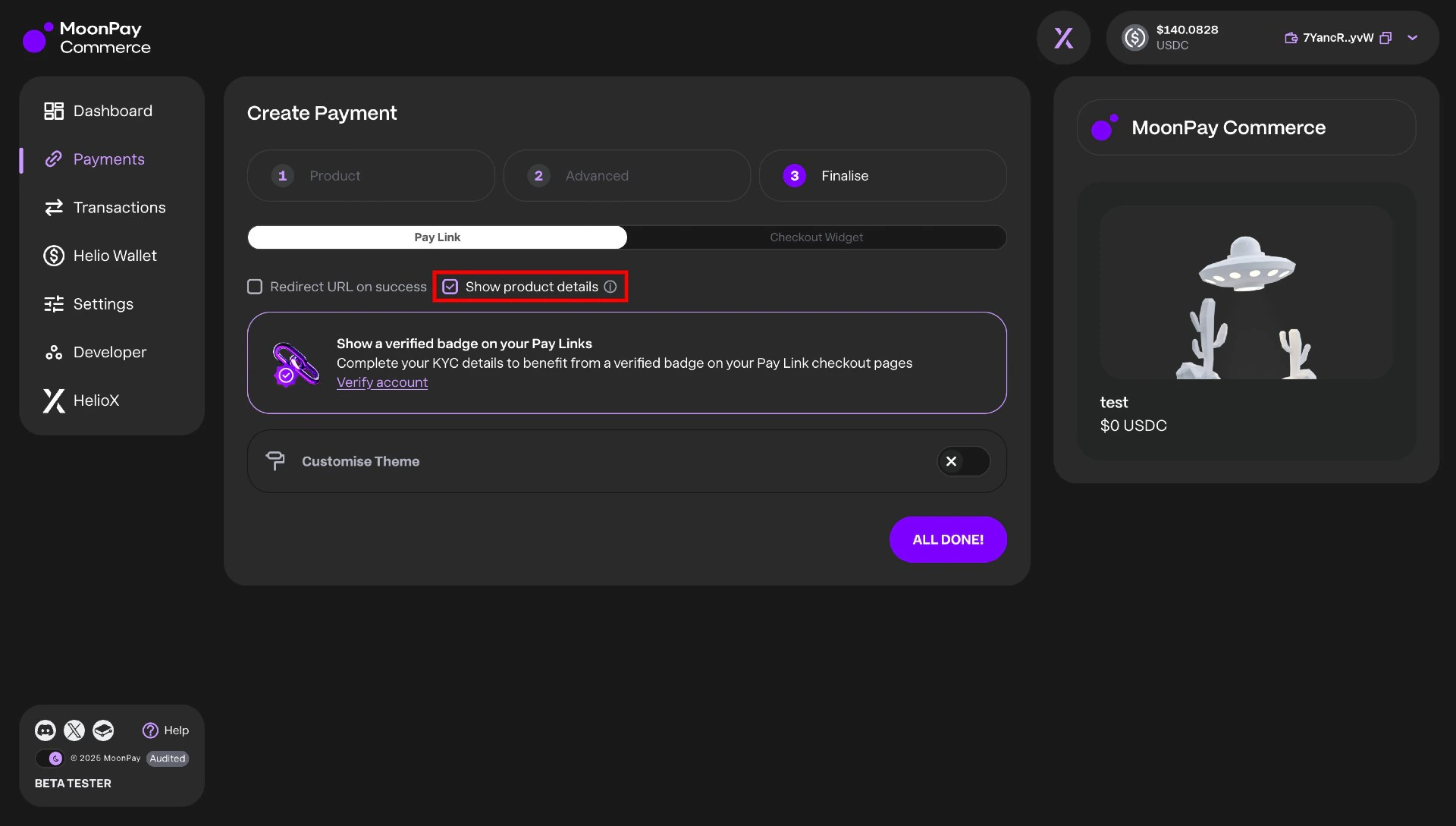
2. In **Step 3** of the Pay Link creation process, toggle **“Show product details”** under the Pay Link tab. Alternatively, you can enable this via the API by setting `showDetailsForCharge` to `true` within the `features` object when [creating](https://docs.hel.io/reference/paylink/create) or [updating](https://docs.hel.io/reference/paylink/update) a pay link.
3. You can also define a `successRedirectUrl`paramter when creating a charge. This is the redirect URL to use after a successful payment. The parent Pay Link must have a redirect URL enabled, and this value overrides the default success redirect URL.
## How to Show Pay Link Details on a Charge Page
Within MoonPay Commerce, you can display the product name, description, and image from your pay link directly on the charge page, mirroring your original pay link.
To do this:
1. Ensure your `paylinkId` uses [**dynamic pricing**](https://docs.hel.io/docs/for-developers#payment-integration-options). This can be toggled in the dashboard or set via the API when [creating](https://docs.hel.io/reference/paylink/create) or [updating](https://docs.hel.io/reference/paylink/update) a `paylinkId` by setting `"dynamic": true` in the features object.
2. In **Step 3** of the Pay Link creation process, toggle **“Show product details”** under the Pay Link tab. Alternatively, you can enable this via the API by setting `showDetailsForCharge` to `true` within the `features` object when [creating](https://docs.hel.io/reference/paylink/create) or [updating](https://docs.hel.io/reference/paylink/update) a pay link.
3. You can also define a `successRedirectUrl`paramter when creating a charge. This is the redirect URL to use after a successful payment. The parent Pay Link must have a redirect URL enabled, and this value overrides the default success redirect URL.