> ## Documentation Index
> Fetch the complete documentation index at: https://docs.hel.io/llms.txt
> Use this file to discover all available pages before exploring further.
# Discounts
> Enable discounts via codes or NFTs
# Codes
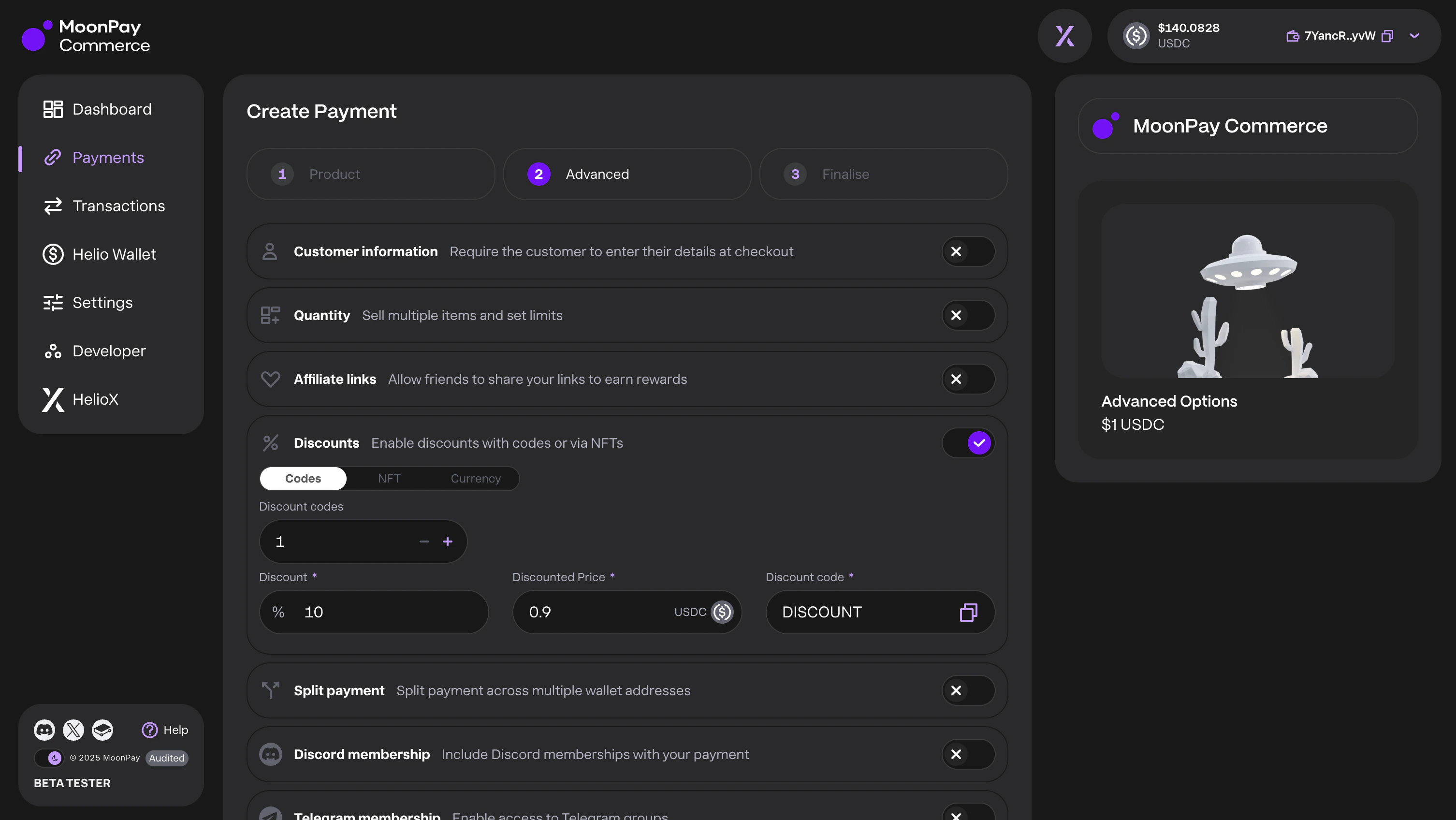
To set up discounts, go to MoonPay Commerce Dashboard → Create Payment → Advanced → Discounts to define up to 100 discount codes per Pay Link. Enter each discount level and code; users can apply the code at checkout.
 # NFT Discounts
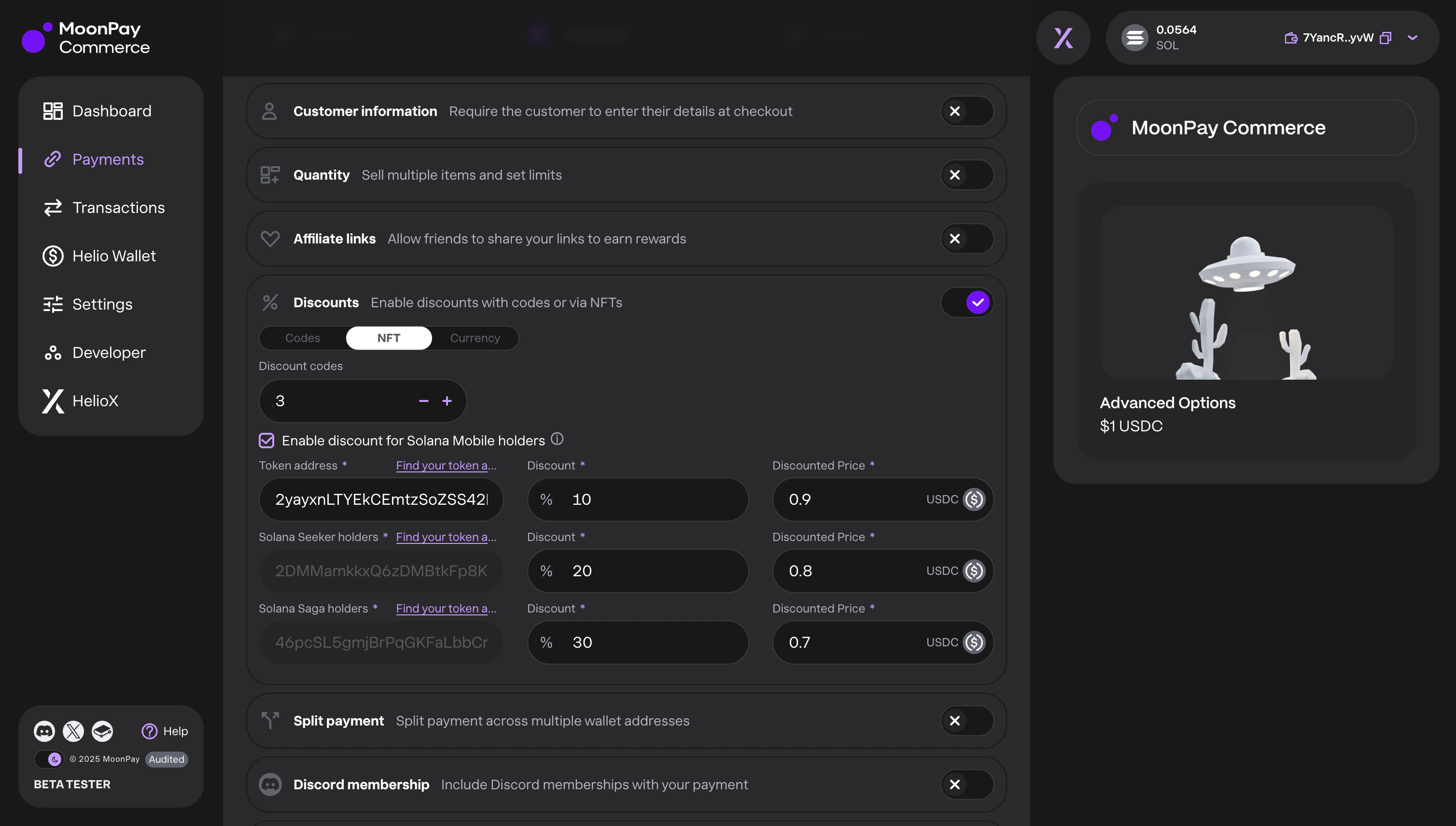
Enable discounts for holders of specific NFT collections as loyalty rewards. Enter the token address and set a discount level (up to 10 NFTs per payment).
Merchants on MoonPay Commerce or Solana Pay for Shopify can automatically offer discounts to Solana Mobile users with one click. If the user’s wallet holds an NFT from the specified collection, the discount is applied at checkout.
# NFT Discounts
Enable discounts for holders of specific NFT collections as loyalty rewards. Enter the token address and set a discount level (up to 10 NFTs per payment).
Merchants on MoonPay Commerce or Solana Pay for Shopify can automatically offer discounts to Solana Mobile users with one click. If the user’s wallet holds an NFT from the specified collection, the discount is applied at checkout.
 We support NFT discounts on Solana, but not Ethereum. You can still use EVM addresses for gating.
## How to find the token address?
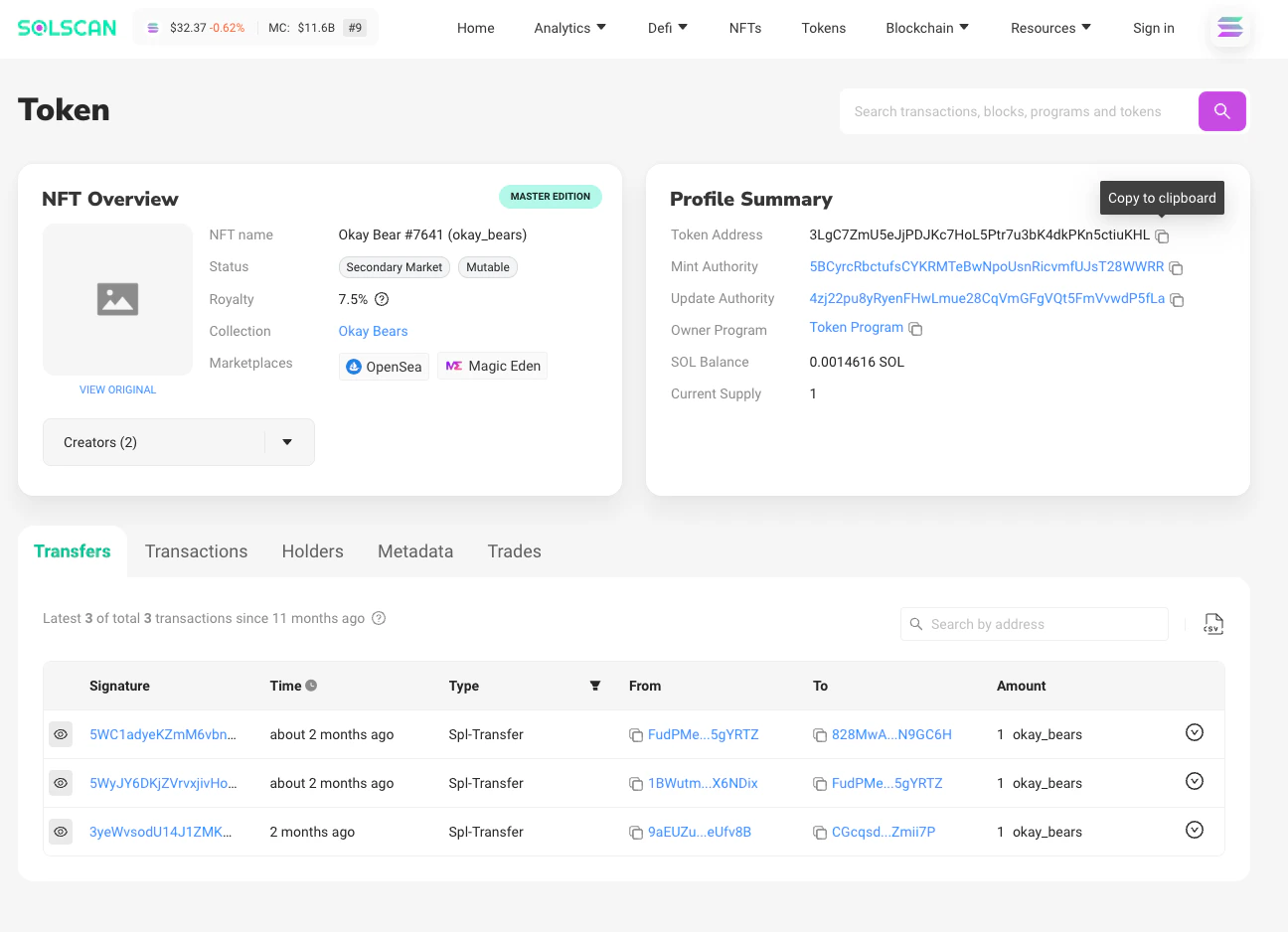
Go to the blockchain explorer like [Solscan](https://solscan.io/) to search for the relevant NFT collection and click on any NFT. Note: the Token Address of **ANY** NFT in the collection works.
Copy the Token Address and paste it into the token address field in the MoonPay Commerce dashboard.
We support NFT discounts on Solana, but not Ethereum. You can still use EVM addresses for gating.
## How to find the token address?
Go to the blockchain explorer like [Solscan](https://solscan.io/) to search for the relevant NFT collection and click on any NFT. Note: the Token Address of **ANY** NFT in the collection works.
Copy the Token Address and paste it into the token address field in the MoonPay Commerce dashboard.