
How to set up split payments?
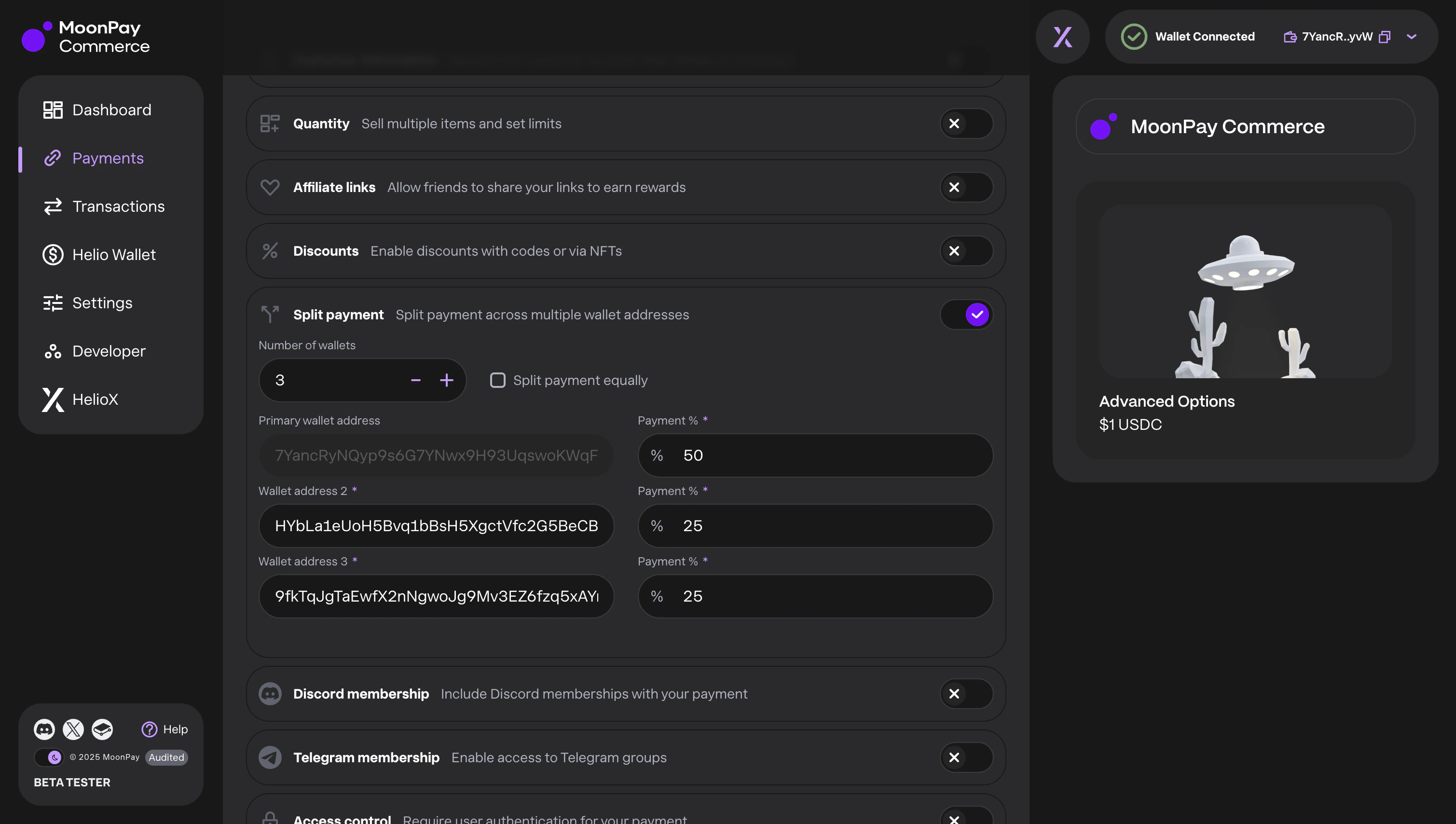
Create Payment --> Advanced Options --> Select the number of wallets, add addresses & payment %
Split Payments are available for single payments on all supported chains. You can split payments up to 5 wallets
Important: Split Payments availability
Split payments can no longer be enabled on new Pay Links. If you have an existing Pay Link with split payments already configured, you can continue to edit those split settings. However, split payments cannot be added to a Pay Link that was created without them. In summary:- Creating a new Pay Link: Split payment options are not available.
- Editing a Pay Link without split payments: Split payment settings are not visible and cannot be enabled.
- Editing a Pay Link with split payments: You can continue to modify the existing split payment configuration.